
How to add Bing Webmaster Tools to WordPress

How to add Bing Webmaster
Tools to WordPress
If you dont already have one, set up an account with Microsoft.(Hotmail)
Sign In.
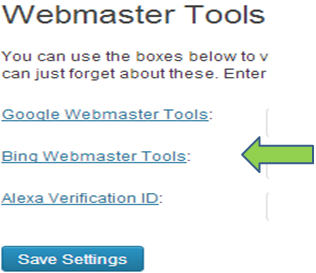
Go to Seo Plugin and Click the Bing Webmaster Link.
You will be redirected to Bing to fill out the Bing Webmasters information form.
Once you finish, you will be provided with your Meta Tag information.
Go back to your Seo Plugin, enter in the ID field. Press Save
Back to Bing, Click Verify.
Now you are all set.
Create A Profitable Blog from Scratch!
More Helpful pages
How to Add Categories to WordPress
How to Add Menus in WordPress
How to Add About Author to WordPress
How to Add Alexa ID to Blog
How to add Bing Webmaster Tools to WordPress
How to add Google Webmaster Tools to WordPress
Kenny’s Honorable Mention
BlueHost- Great place to get domain names, hosting, and set up your blog.
GoDaddy- Another great service to start a blog.