
How to Add Menus in WordPress?

How to Add Menus in
WordPress
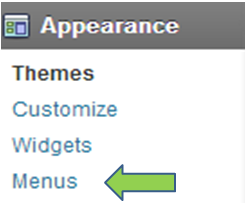
Once you are logged in.
On the Left Side
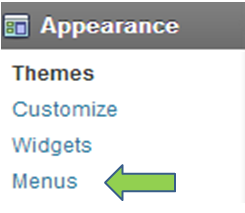
Click Appearance
A drop down list should appear
Click Menus
You should see a list of all the pages you created. From this list you can choose what pages you want to add to your Menu.

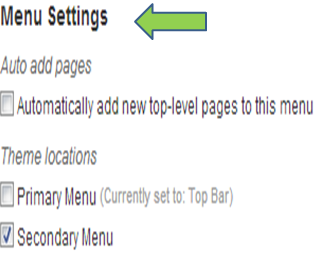
Choose a Name and Select where you want to position this Menu.
Kenny’s Honorable Mention
Start a Blog In Minutes!!!!
Blue Host- By far the best place to setup and Host a Blog.
Create A Profitable Blog from Scratch
How to Add Categories to WordPress
How to Add Menus in WordPress
How to Add About Author to WordPress
How to Add Alexa ID to Blog
How to add Bing Webmaster Tools to WordPress
How to add Google Webmaster Tools to WordPress
BlueHost- Great place to get domain names, hosting, and set up your blog.
GoDaddy- Another great service to start a blog.
Like, Share, and Comment!

Create A Profitable Blog from Scratch
We will cover 7 Easy Simple Concepts to Create A Profitable Blog from Scratch!
More Helpful pages
How to Add Categories to WordPress
How to Add Menus in WordPress
How to Add About Author to WordPress
How to Add Alexa ID to Blog
How to add Bing Webmaster Tools to WordPress
How to add Google Webmaster Tools to WordPress
Kenny’s Honorable Mention
BlueHost- Great place to get domain names, hosting, and set up your blog.
GoDaddy- Another great service to start a blog.
Like, Share, and Comment!
Also don’t forget connect with me on other social medias as well

List of 150+ Social Media Networks!!!